— RAM-Random Access
MemoryROM- Read Only Memory
Cache Memory
(BIOS-Basic Input Output system)Tuesday, 20 May 2014

Input Device :- The
electric, electronics and physical component of a computer is called Hardware.
—CPU, HDD, Monitor, Keyboard etc.
—Processing Device : software represents the set of programs that govern the operation of a computer system and make the hardware run.
—Output Device: Application Software i.e. MS-Office, Tally
& Fox- Pro. etc
—System Software i.e.
Windows Xp, DOS, Win Vista,
Windows 2007 etc.
—Operating System

— Hardware : The
electric, electronics and physical component of a computer is called Hardware.
— CPU, HDD, Monitor,
Keyboard etc.
—
Software : software represents the set of programs that govern the operation of a computer system and make the hardware run.
Software : software represents the set of programs that govern the operation of a computer system and make the hardware run.
—Application Software
i.e. MS-Office, Tally & Fox- Pro. etc
—System Software i.e.
Windows Xp, DOS, Win Vista,
Windows 2007 etc.
Classification of digital Computer
—Micro
Computer or PC
—One User work at a
time on a computer.
—Come on a simple desk
& low in prize.
—Mini
Computer
—Up to 10 users work at
a time on a computer.
—Used by a Medium Level
Company
—It size was
Refrigerator size.
—Main
Frame Computer
—Up to 100 user work at
a time on a computer.
—Used by High Level
Company, Banks, Govt. Sector etc.
—It size was complex
size.
—Super
Computer
—Used by the Scientist
for Research & Development.
oRADAR
oSONAR
oSatellite purpose
oForecasting & Broadcasting
Classification of Computer
—Analog Computer: In analog
continuous quantities are used. Computations are carried out with physical
quantities such as voltage, length, current, temperature etc.
—i.e. Calculators,
& Thermometers etc.
—Digital Computer: The digital computers
works upon discontinuous data. They convert the data into digit (Binary Digits
0 & 1) and operations are carried out on these digits as extremely fast
rates.
—i.e. Desktop, Laptop
PC & Mobiles etc.
—Hybrid Computer : It
is a both combinations of Analog & Digital Features.
—i.e. PCO Machine or
PCO Printer etc.
vNote:
The Digital computer can be classified
into four main classes.
Abbreviation of COMPUTER is ?
—C - Common
—O - Operating
—M - Memory
—P - Purposely
—U - Used for
—T - Training
—E - Educational
—R - Research
What is Computer ?
—Computer is an electronics devices. Which working at a
very fast speed with high accuracy and capable to perform arithmetical and
Logical operations of compute data. Or
—Computer is an
electronic device which can perform a variety of operations in accordance to
set of instructions provided to it.
—
Monday, 14 April 2014


Thursday, 10 April 2014
Top Ten Hacker Tools
Hacker tools are programs written to access a computer system using known software vulnerability. Most of these programs have been written and are freely distributed from "Hacker" websites. Some of these programs were written for legitimate uses and are abused as a hacking tool.
- Access Diver
- LANguard Network Scanner
- Cracking Tool
- IOpus Password Recovery XP
- Key Generator
- Personal Antispy
- XPKey
- Super Scan 3.0
- LastBit Password Tools 4.0.0.3175
- Aet_network_scanner10
What is red- and white-hat hacking?
I'm not sure what you mean by "red-hat" hacking, unless it refers to some kind of Linux hacking. The "hat" colors in hacking have evolved as hackers try to differentiate themselves and separate the good hacker from the bad.
"White Hat" usually refers to hackers who don't break the law, commit any offense or engage in any malicious activity as part of their hacking. The term is now commonly used by security consultants who offer hacking/penetration testing as part of their services.
"Black Hat" is the term that white-hat hackers and commentators often use to define malicious hackers who cause harm or break laws as part of their hacking exploits. The term "cracker" is also used to describe black-hat hackers. But, most black-hat hackers don't usually care what you call them, just as long as it's not "script kiddies."
"Grey Hat" is the term often given to hackers whose actions are not malicious but whose hacking methods may cross legal or ethical lines. It's also used to categorize hackers who may at one stage have broken the law in their hacking activities, but who have since come across to the more ethical white side.
As the security industry grows and new categories of hackers emerge, perhaps Red Hats will denote aggressive hackers, and Green Hats will only be worn by Irish hackers!
Seeking an ethical hacking career: How to learn ethical hacking
The field of ethical hacking is increasingly popular, and I'd like to know more about what it actually is. Can you tell me what an ethical hacker does, what skills he or she needs, and what it means (generally speaking) throughout the industry to be an "ethical" hacker, as opposed to unethical?
What is “out” in System.out.println()?
We now know that ‘out’ is a variable, so we must now ask ourselves what kind of variable is it? There are two possibilities – it could be a static or an instance variable. Because ‘out’ is being called with the ‘System’ class name itself, and not an instance of a class (an object), then we know that ‘out’ must be a static variable, since only static variables can be called with just the class name itself. So now we know that ‘out’ is a static member variable belonging to the System class.

In Java, how does System.out.println() work?
This question is an excellent example of how just some very basic knowledge of Java can lead you to the correct answer. Most interviewers would not expect you to know the answer to do this right away – but would like to see how you think and arrive at an answer.
Marcus Aurelius (a Roman emperor) once said: "Of each particular thing ask: what is it in itself? What is its nature?". This problem is an excellent example of how that sort of thinking can help one arrive at an answer with only some basic Java knowledge.
With that in mind, let’s break this down, starting with the dot operator. In Java, the dot operator can only be used to call methods and variables so we know that ‘out’ must be either a method or a variable. Now, how do we categorize ‘out’? Well, ‘out’ could not possibly be a method because of the fact that there are no parentheses – the ‘( )’ – after ‘out’, which means that out is clearly not a method that is being invoked. And, ‘out’ does not accept any arguments because only methods accept arguments – you will never see something like “System.out(2,3).println”. This means ‘out’ must be a variable.
Thursday, 13 March 2014


Know About Avira Anti Virus
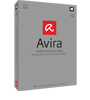
Avira Family Protection Suite
Ideal for the modern parent, this advanced platform combines all the security benefits of cutting-edge antivirus with powerful tools to protect your children while online and safeguard their reputation on social networks.
Avira Ultimate Protection Suite
This is our most comprehensive security and performance enhancing solution on offer. From 200GB of multi-device online data backup to protection for your financial transactions, your family and your online privacy—it has it all.

Avira Free Mac Security
Avira Free Mac Security packs award-winning malware detection into a smart application that almost never needs your attention. Just install it and continue to enjoy your Mac, free of viruses and free of antivirus hassles too.

Avira Secure Backup
Easily backup, remotely access and share all your media and documents across multiple devices. Automated backups avoid permanent data loss, while powerful encryption technology assures the privacy of your personal information.

Avira System Speedup
In just one minute, you can cut loose all the accumulated runaway processes, bad registry entries and files lost in limbo that are bogging down your computer. Unleash the potential of your PC; optimize the use of your programs and files to recover your PC’s lost speed.
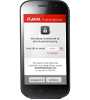
Avira Free Android Security
There’s nothing like a missing smartphone to make you feel lost. Use our free app to shield your data and track down your phone.
Java Lesson -2
First Java Program:
Let us look at a simple code that would print the words Hello World.
public class MyFirstJavaProgram{
/* This is my first java program.
* This will print 'Hello World' as the output
*/
public static void main(String []args){
System.out.println("Hello World"); // prints Hello World
}
}
About Java programs, it is very important to keep in mind the following points.
- Case Sensitivity - Java is case sensitive which means identifier Hello and hello would have different meaning in Java.
- Class Names - For all class names the first letter should be in Upper Case.
If several words are used to form a name of the class each inner words first letter should be in Upper Case.
Example class MyFirstJavaClass - Method Names - All method names should start with a Lower Case letter.
If several words are used to form the name of the method, then each inner word's first letter should be in Upper Case.
Example public void myMethodName() - Program File Name - Name of the program file should exactly match the class name.
When saving the file you should save it using the class name (Remember java is case sensitive) and append '.java' to the end of the name. (if the file name and the class name do not match your program will not compile).
Example : Assume 'MyFirstJavaProgram' is the class name. Then the file should be saved as'MyFirstJavaProgram.java' - public static void main(String args[]) - java program processing starts from the main() method which is a mandatory part of every java program..
Java Identifiers:
All java components require names. Names used for classes, variables and methods are called identifiers.
In java there are several points to remember about identifiers. They are as follows:
- All identifiers should begin with a letter (A to Z or a to z ), currency character ($) or an underscore (_).
- After the first character identifiers can have any combination of characters.
- A key word cannot be used as an identifier.
- Most importantly identifiers are case sensitive.
- Examples of legal identifiers:age, $salary, _value, __1_value
- Examples of illegal identifiers : 123abc, -salary
Java Modifiers:
Like other languages it is possible to modify classes, methods etc by using modifiers. There are two categories of modifiers.
- Access Modifiers : default, public , protected, private
- Non-access Modifiers : final, abstract, strictfp
We will be looking into more details about modifiers in the next section.
Java Variables:
We would see following type of variables in Java:
- Local Variables
- Class Variables (Static Variables)
- Instance Variables (Non static variables)
Java Arrays:
Arrays are objects that store multiple variables of the same type. However an Array itself is an object on the heap. We will look into how to declare, construct and initialize in the upcoming chapters.
Java Enums:
Enums were introduced in java 5.0. Enums restrict a variable to have one of only a few predefined values. The values in this enumerated list are called enums.
With the use of enums it is possible to reduce the number of bugs in your code.
For example if we consider an application for a fresh juice shop it would be possible to restrict the glass size to small, medium and Large. This would make sure that it would not allow anyone to order any size other than the small, medium or large.
Example:
class FreshJuice{
enum FreshJuiceSize{ SIZE, MEDIUM, LARGE }
FreshJuiceSize size;
}
public class FreshJuiceTest{
public static void main(String args[]){
FreshJuice juice = new FreshJuice();
juice.size = FreshJuice. FreshJuiceSize.MEDIUM ;
}
}
Note: enums can be declared as their own or inside a class. Methods, variables, constructors can be defined inside enums as well.
Java Class -1
Java Lesson -1
What is Java?
Java is:
- Object Oriented
- Platform independent:
- Simple
- Secure
- Architectural- neutral
- Portable
- Robust
- Multi-threaded
- Interpreted
- High Performance
- Distributed
- Dynamic
Java Environment Setup:
Java SE is freely available from the link Download Java. So you download a version based on your operating system.
You can refer to installation guide for a complete detail.
Java Basic Syntax:
- Object - Objects have states and behaviors. Example: A dog has states-color, name, breed as well as behaviors -wagging, barking, eating. An object is an instance of a class.
- Class - A class can be defined as a template/ blue print that describe the behaviors/states that object of its type support.
- Methods - A method is basically a behavior. A class can contain many methods. It is in methods where the logics are written, data is manipulated and all the actions are executed.
- Instant Variables - Each object has its unique set of instant variables. An object's state is created by the values assigned to these instant variables.
Earn Online Money with Publishing
Stop Surfing (YouTube , FaceBook , Twitter , or Other Websites) , Start Publishing Websites & Earn Money with These....Safe Your Future for Comming Future.
- Earn Money with Youtube to upload Videos
- Earning with Facebook
- Earning with Google AdSense
- Earn with AdSense without website
- Earn with Skype
- Earn Money with Blogging thro" Blogger |Wordpres|Drupal|Joomla
- Earn Money with Selling products
- Earn Money with Affiliate Marketing
- Earn Money with Free lancing
- Earn Money with PTC sites
- Earn Money with Offering services
- PPC Ads
- CPA Ads
- Earn Money with Writing jobs
- Translation jobs
- Data Entry jobs
- Earn Money with Online Teaching
- Earn Money with Selling Videos
- Selling Photos
- Earn with forum posting
- Earn by reading emails
- CPM Ads
- Earn with adf.ly
- Earn with buy Sell Ads
- Earn with Forex trading
- Earn Money with SEO (Very Hot Job)
||Know About Quick Heal Antivirus||

Quick Heal Total Security
Comprehensive Antivirus Protection. Parental Control. Data and Privacy Protection.
Best antivirus technology brings you more than just a safe web browsing experience. New and improved features ensure that your data and privacy is safe while browsing unsafe sites or using unknown programs.
 Quick Heal Internet Security
Best antivirus technology brings you more than just a safe web browsing experience. New and improved features ensure that your data and privacy is safe while browsing unsafe sites or using unknown programs.
- Advanced DNAScan technology gives assured virus protection by running a scan for suspicious programs.
- Faster PC performance with inbuilt PCTuner facility.
Quick Heal Internet Security
Secure Browsing. Fast Detection. Cloud-Based Email Filtering.
Quick Heal Internet Security eliminates the risk factors involved with online threats while you surf the internet. The internet security protection makes activities like browsing, social networking and online purchases more safe and secure.
 Quick Heal AntiVirus Pro
Quick Heal Internet Security eliminates the risk factors involved with online threats while you surf the internet. The internet security protection makes activities like browsing, social networking and online purchases more safe and secure.
- Enhanced web security brings the best antivirus engine, silent firewall and phishing protection.
- Improved Parental Control feature authorizes user-specific restrictions.
Quick Heal AntiVirus Pro
Smart. Light. Effective.
The simple interface and best virus protection technology of Quick Heal AntiVirus Pro ensures complete security without interrupting or slowing down your system.
The simple interface and best virus protection technology of Quick Heal AntiVirus Pro ensures complete security without interrupting or slowing down your system.
- Real time cloud security restricts access to malware infected websites.
- Spam filters stop phishing and infected emails from reaching your inbox.
- Uninterrupted PC usage and viewing without prompts.
Saturday, 8 February 2014
C Video Tutorial in Hindi Part -1
इस विडियो में हम आपको लैंग्वेज क्या होता है बता रहे है आशा है ये आपको पसंद आयेगा ! तो मै आपको अब बताता हु की लैंग्वेज क्या होता है -